RoughChop Logo
About My Recipes

Bring your recipes together in one place, organized and easy to read.

Scan a family recipe card, paste a recipe link, upload a screenshot, or use the pencil to write and customize the recipes you want to keep cooking.

Recipe cards and handwritten notes
Saved recipes from the web
Your own drafts and custom versions
Camera import

Scan handwritten cards and clipped recipes

Open your camera and pull recipe cards, cookbook pages, and old family notes into My Recipes without retyping everything first.

Imported handwritten cards sometimes need proofreading because handwriting, side notes, stains, and layout quirks make them inherently complex. Select the proofread button to confirm the recipe is as intended.

Use camera
Photo upload

Use screenshots and saved photos from your phone

If the recipe already lives in your camera roll, upload it from your library and turn it into a recipe you can easily access and cook from.

Upload photo
Recipe URL

Turn saved links into real recipes

Paste a recipe web address and bring the ingredients and instructions into your cookbook so the recipe becomes more than a bookmark.

Import from web
Write or customize

Enter your own recipe or customize a RoughChop dish

Use the pencil flow to write recipes from scratch, or start from a RoughChop baseline and shape it into the version you want to keep.

Open editor
Example
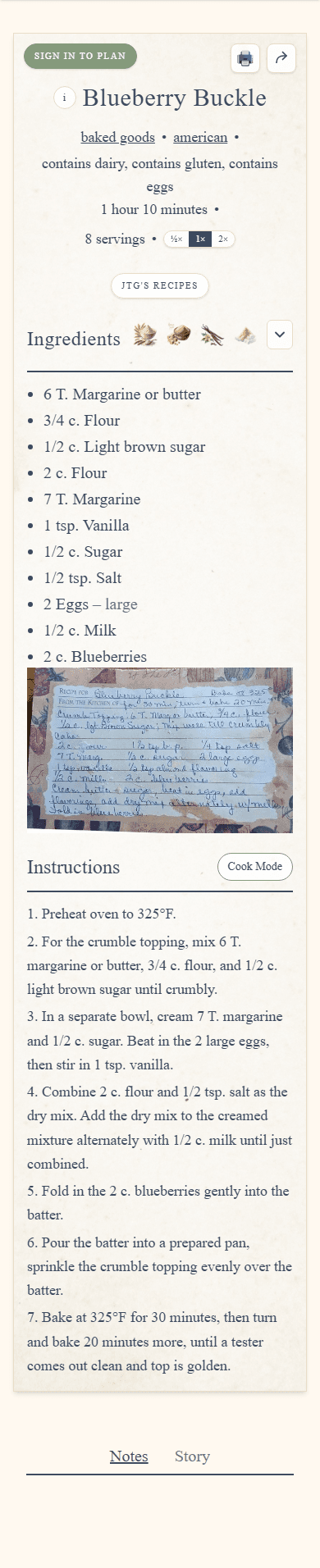
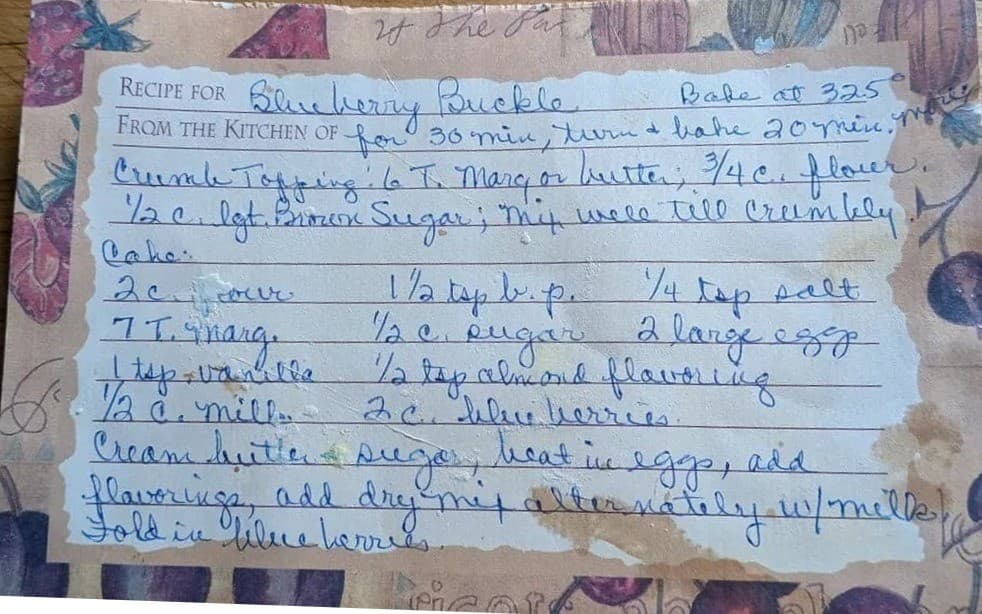
Blueberry Buckle, from a saved recipe card into a clean RoughChop recipe.
Before
The original recipe card or clipped recipe as it comes in.
Blueberry Buckle original recipe card
After
Organized into a recipe that is easier to read, edit, and cook from again.
Blueberry Buckle inside My Recipes
Why it feels different

More than a saved-links folder.

Once a recipe is inside My Recipes, it is meant to become part of a cookbook you return to, not just another thing you saved for later.

One place for every kind of recipe

Family cards, online finds, and your own drafts can live together instead of being scattered across tabs, screenshots, and notebooks.

Edit-friendly once it is inside

Imported recipes are meant to become usable recipes. Clean up ingredients, update instructions, and keep the version that works for you.

Built to grow into a real collection

Organize recipes into collections, search your library, and keep a cookbook that gets more useful the more you add to it.

RoughChop Pro

Grow a cookbook you can keep building.

RoughChop Pro gives you room to save more personal recipes, customize RoughChop baselines, and keep building a cookbook that reflects how you actually cook.